I know it’s a new remote, but I’ve never experienced a universal remote that seems so impossible or at least unintuitive to use. I’m really disappointed. Maybe someone can help me?
First off, there’s no way to figure out how to program the right device for the remote. I want to connect to an LG TV, and I can choose an LG infrared device, but from there, it’s just a bunch of meaningless, opaque codes. How are you supposed to figure out which goes with which? Why wouldn’t the model names just be used?
Someone on this forum suggested a couple codes that might work for my TV. So I have created a device for that code. Now when I go to “Watch TV” the remote doesn’t seem to control anything. When I press the left, right, up, down buttons, it moves around on the remote screen, but doesn’t control the TV at all. How do you get the buttons to control the TV instead of the remote? I would have never imagined a remote would be so difficult to use I couldn’t even figure out how to make the buttons work.
I’m so frustrated with this device. Right now, it’s just an expensive paperweight. Has anyone else had a similar experience?
Hi franktree, me the same, but I will give them a chance, support is very cooperative, even on weekend.
I hope it will grow in the next weeks or month, this is really a nice piece of technique and I want to use it as my current sofabaton x1.
First of all make sure you have the IR file which is working for you.
Even though someone suggest you IR file numbers doesn’t mean they work for you?
Have you tested them with your device(TV)?
Only If yes and it worked you should create a sequence like Watch TV.
There are two ways to use sequence.
Use as Macros on home screen
Use as icon in rooms
Which way you are using it?
There is a lock button which locks your cursor when you enter or run it. Now the navigation controls the keymapping and not the system UI.
There is enough information inform of video
which you should refer.
I agree. It’s far too complex to add simple basic functions. I’ve been using various universal remotes for many years, but this one isn’t very intuitive.
Simple example: A single device as a replacement for an original remote:
It starts with finding the right IR code, which is complicated.
Then you add the device to the room.
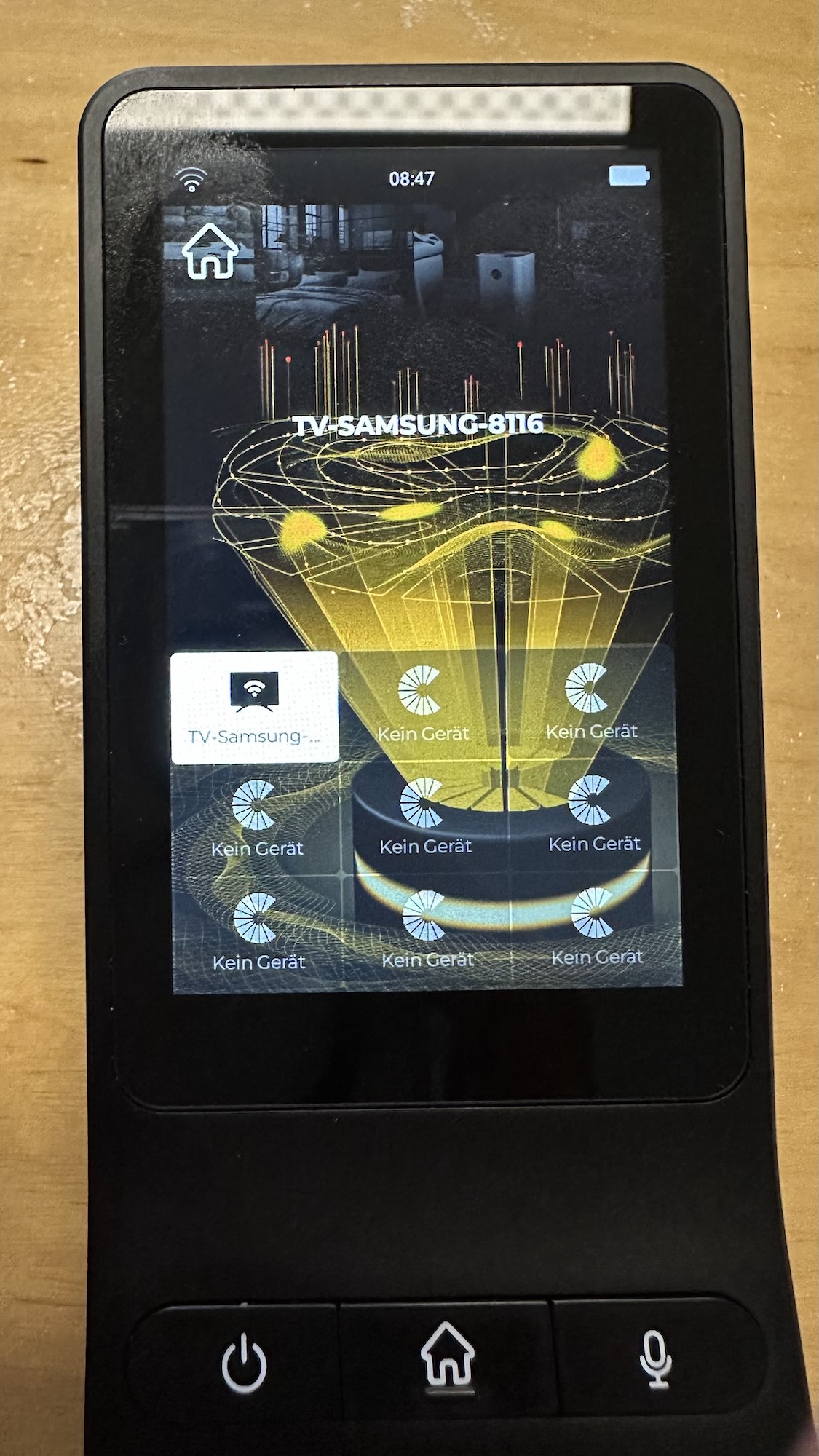
It will then appear in the overview (image1). Even if this device has a white background, only a few of the hard buttons work. This means this device is not selected.
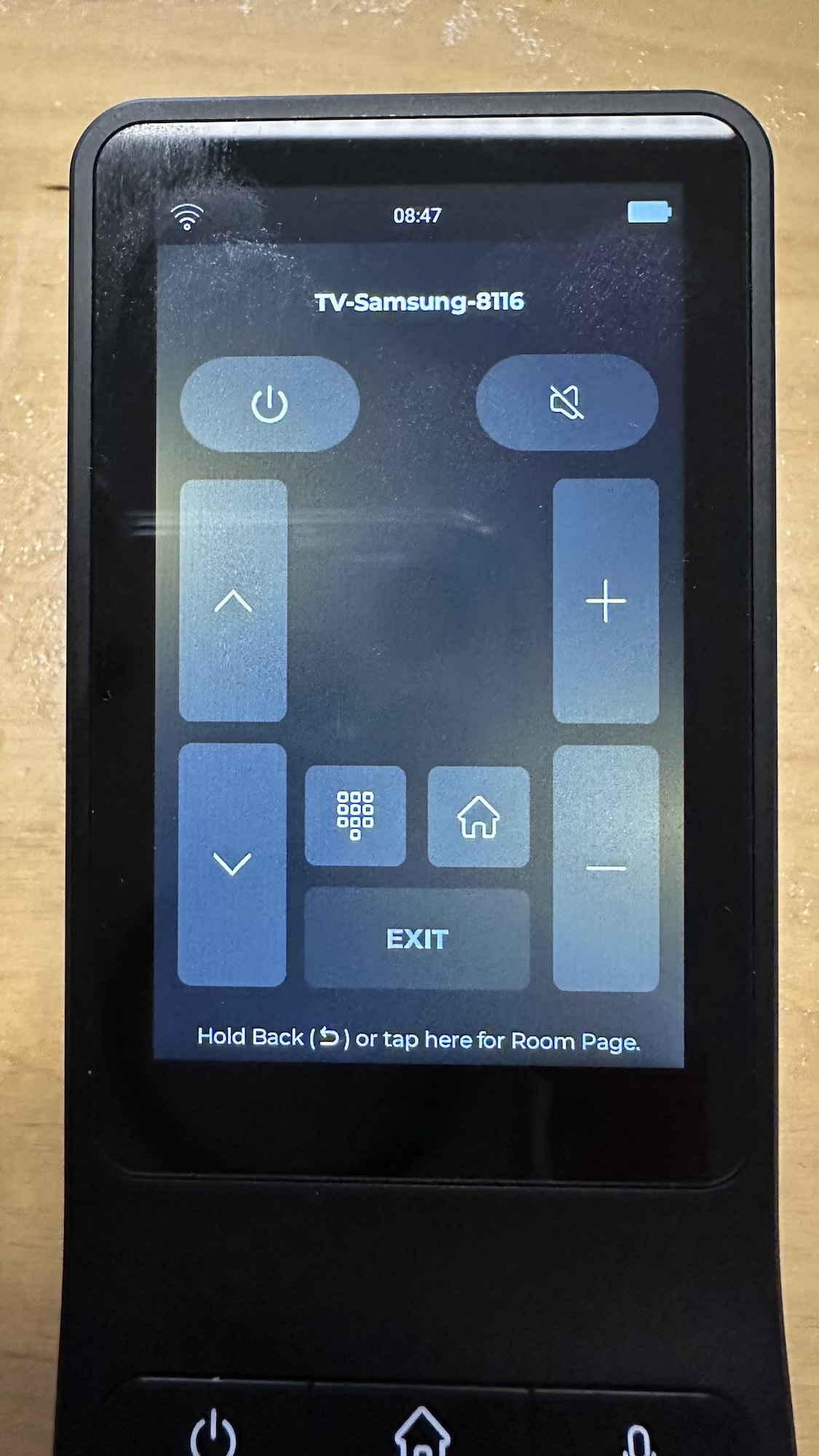
Only if you press and hold the icon a new screen appears and the hard buttons work as intended. But why are Power, Channel Up/Channel Down and Volume+/Volume- also on the display (image2)? This is duplicated, since the hard buttons already handle this. Can you edit the display?
You don’t need to hold and enter if you want to control basic buttons like power, mute etc except the navigation of that device, by simply selecting it the keys are activated for that device. You only have to enter if you want full control. Each device has its own UI, if there are duplicate buttons you have issue with it but if we don’t keep them than most of the users have issue with empty screen.
I feel this, although I started to have a glimmer of hope again after getting in touch with their support - they really try to help (not yet successful in my case but I have seen so much worse quality and responsiveness with other vendors).
To me the UX and the general concept is really a problem.
For example, it would be great if I could choose to jump to the devices UI immediately when I short-click its button and not have to long press it.
The fact that all device buttons look very similar (only a small icon and a tiny label) is a problem too. Maybe it would be possible to configure each button in a Room screen to have its own individual color or even appearance (large icon instead of text + tiny icon)?
The hardware is great, but I really wish I could add IR codes myself, search for a make/model combination like “Marantz SR8012” when I add an IR device and why is every single Hue Scene a separate device which I have to long-press and then use the on-screen on/off button? It would be so much easier and nicer if I could just touch the “low light” button and the light goes down.
I already proposed to the support that a WIKI (which we users can edit and where we can describe how we got a specific device to work) would be great. This forum here is very important too, but something like a collection of solutions found by users (with or without the help of tech support) would be fantastic.
I was on the edge of returning the RS90 or at least put it into its box and wait for 12 months, but now I feel that there is a lot of activity and it will become useful to me eventually.
Thanks for the feedback. There is a new UI under development for the Haptique.
Quickly addressing the flow of Hue here, you don’t need to enter by holding the button or icon just click on it and press power key. Once you select any icon in the room, Keypad gets activated for that particular device. You only need enter if that device has a navigation keys.
Thanks, will try that. So in case of a Hue scene, all I have to do is to touch the corresponding button and then press the Power button, right? Although that is much better than long pressing the button and then push the on/off UI button on the screen to activate the scene, it would still be a great improvement if it would just send the command to Hue to activate the scene every time I push the button in the room screen.
There is a reason we have to keep one step to turn device on/off or control it because we have to navigate the remote UI also. If you click on the icon and it reacts> here we need to offer too many choice. What will happen if the icon is clicked and huge list of option.
To solve this we made Quickbuttons which you should use instead. They are what you are looking for.