Has anyone setup a custom URL device for Kodi yet
I have located Kodi control app which is open source it will be possible for us to implement in near future.
That’s great news thanks
Kodi has a powerful JSON-RPC API that can be controlled via HTTP. While most modern systems use POST requests with headers and JSON bodies, the RS90 currently only supports GET requests via the Custom URL interface (no headers or POST body support).
Luckily, Kodi allows both GET and POST for nearly all control actions – so you can fully control Kodi from your RS90 using just URLs!
The official documentation for the Kodi JSON RPC can be found here:
and individually listed here.
With the RS90, you can currently only use GET, since the RS90 does not support headers and body content for POST requests with Custom Commands.
If you’re feeling experimental, you could simply replace the launcher on the RS90. Then install
Kore from the Play Store.
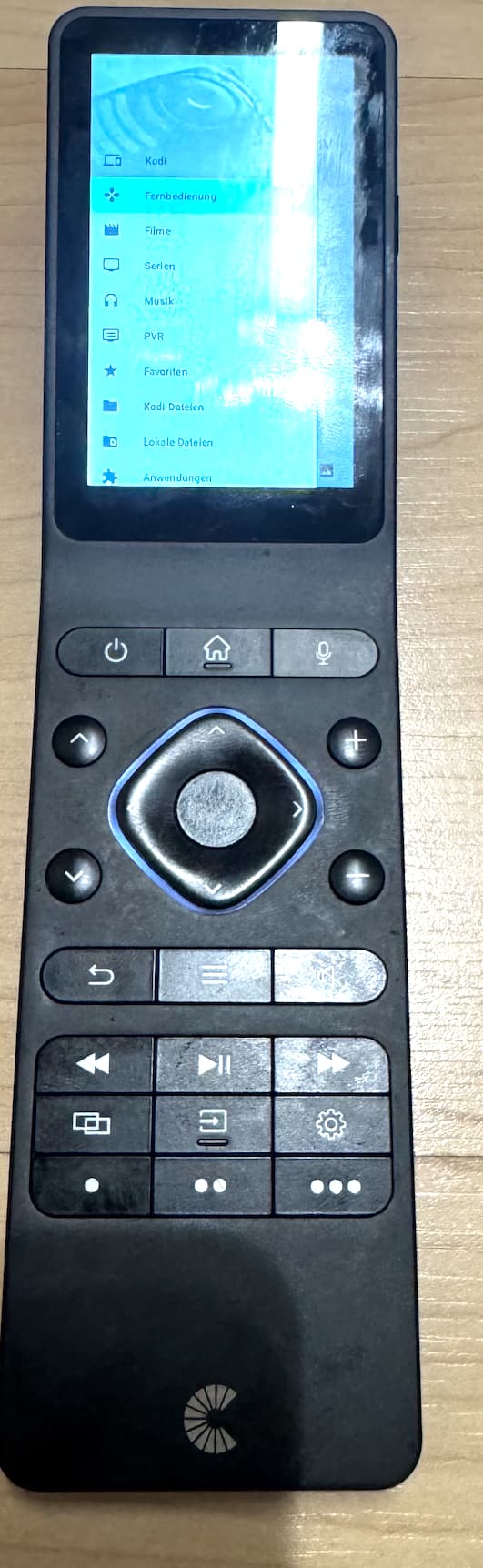
This way, you can continue using the RS90 buttons via Custom Commands, but at the same time have full visual access to Kodi on the RS90 display.
Kore on the RS90 display then looks like this, for example:
1 Like
Trying to make a stop button for Kodi with custom URL and having no luck
Can anyone see what I’m doing wrong
(http://192.168.100.13:8080/jsonrpc?request)={“jsonrpc”:“2.0”, “method”:“Player.Stop”,“params”:{ “playerid”:1},“id”:1}
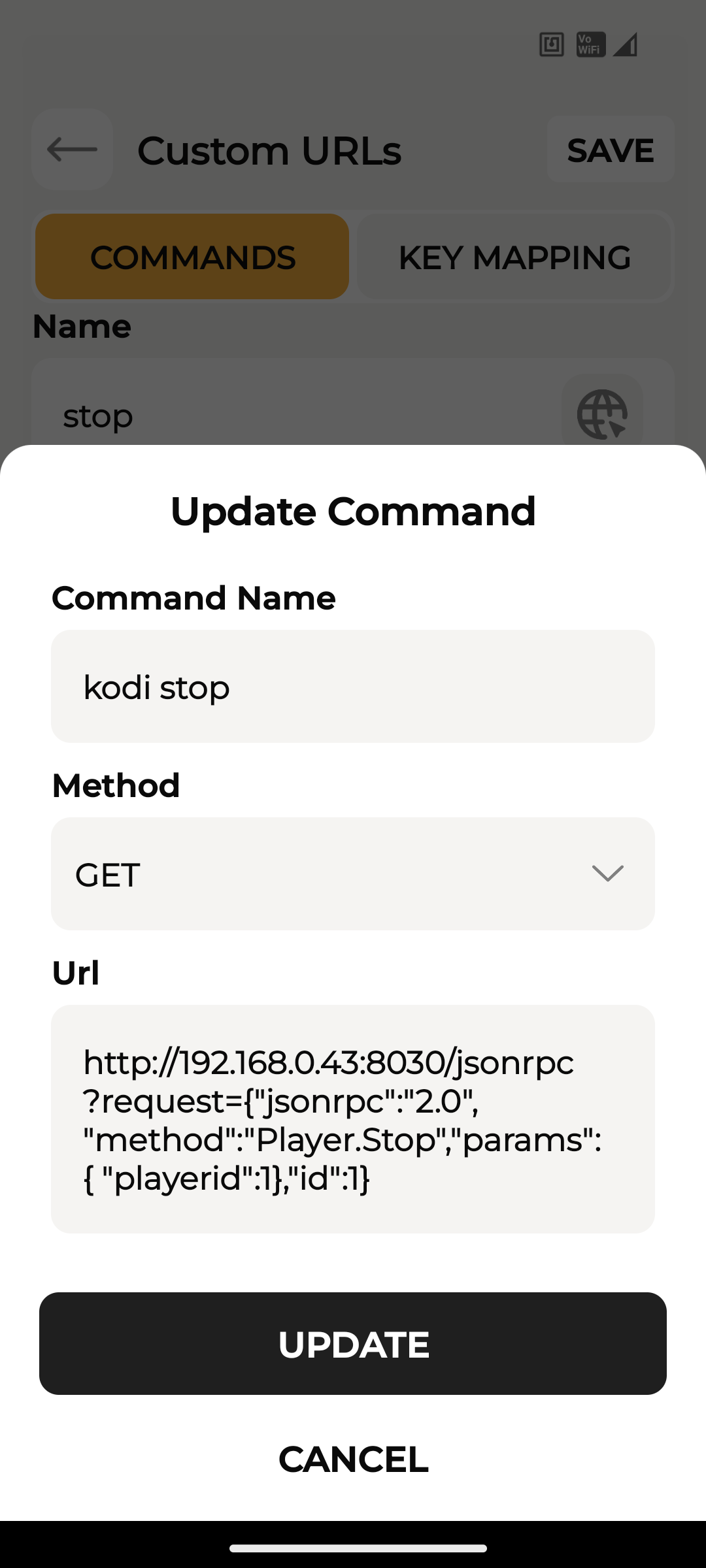
That’s also wrong, the url must be passed url encoded, otherwise it won’t work with GET and the RS90
try for Stop
http://192.168.100.13:8080/jsonrpc?request=%7B%22jsonrpc%22%3A%222.0%22%2C%22method%22%3A%22Player.Stop%22%2C%22params%22%3A%7B%22playerid%22%3A1%7D%2C%22id%22%3A1%7D
try for Play/Pause
http://192.168.100.13:8080/jsonrpc?request=%7B%22jsonrpc%22%3A%222.0%22%2C%22method%22%3A%22Player.Stop%22%2C%22params%22%3A%7B%22playerid%22%3A1%7D%2C%22id%22%3A1%7D
If you don’t have a system that encodes the URL you can do it yourself using tools like URL encode and decode
Both of those didn’t work
While doing a quick test on the custom URL page all I got was a blank black box on the bottom of the page
Now the problem seems to be that Kodi can’t evaluate the username and password via GET, or rather, the RS90 currently offers no way to pass the username and password in a way that Kodi can do anything with.
Controlling via POST doesn’t pose any problems for me with Kodi. The problem is that the RS90 doesn’t currently support POST with parameters in custom URL commands, so you probably can’t use it at the moment.
So you’re left with only three options.
You can either hope that Cantata itself integrates a Kodi control, as previously announced by Cantata in the roadmap on Kickstarter, or you can hope that Cantata finally revises the custom command URL in the RS90 configuration app so that POST can also be used correctly.
The last option would be to simply control a system from the RS90 or via a custom URL that can completely control Kodi itself with all commands via POST. But that’s currently a one-way communication. Control is completely possible, but there’s currently no way to use a custom URL command to access Kodi’s status on the RS90. Personally, I control Kodi from an RS90 via Symcon for testing, and it works so far, but only control, no status feedback possible on the display of the RS90.
That is the reason why I use Kore with the RS90 for controlling a Kodi System, that seems the only way at the moment to control Kodi completely and to get also status feedback in the display of the RS90.
Thanks for the help and info
I will just wait now and hope the Devs implement this in the future