Opus 1: The new way to interact with your Haptique is Live

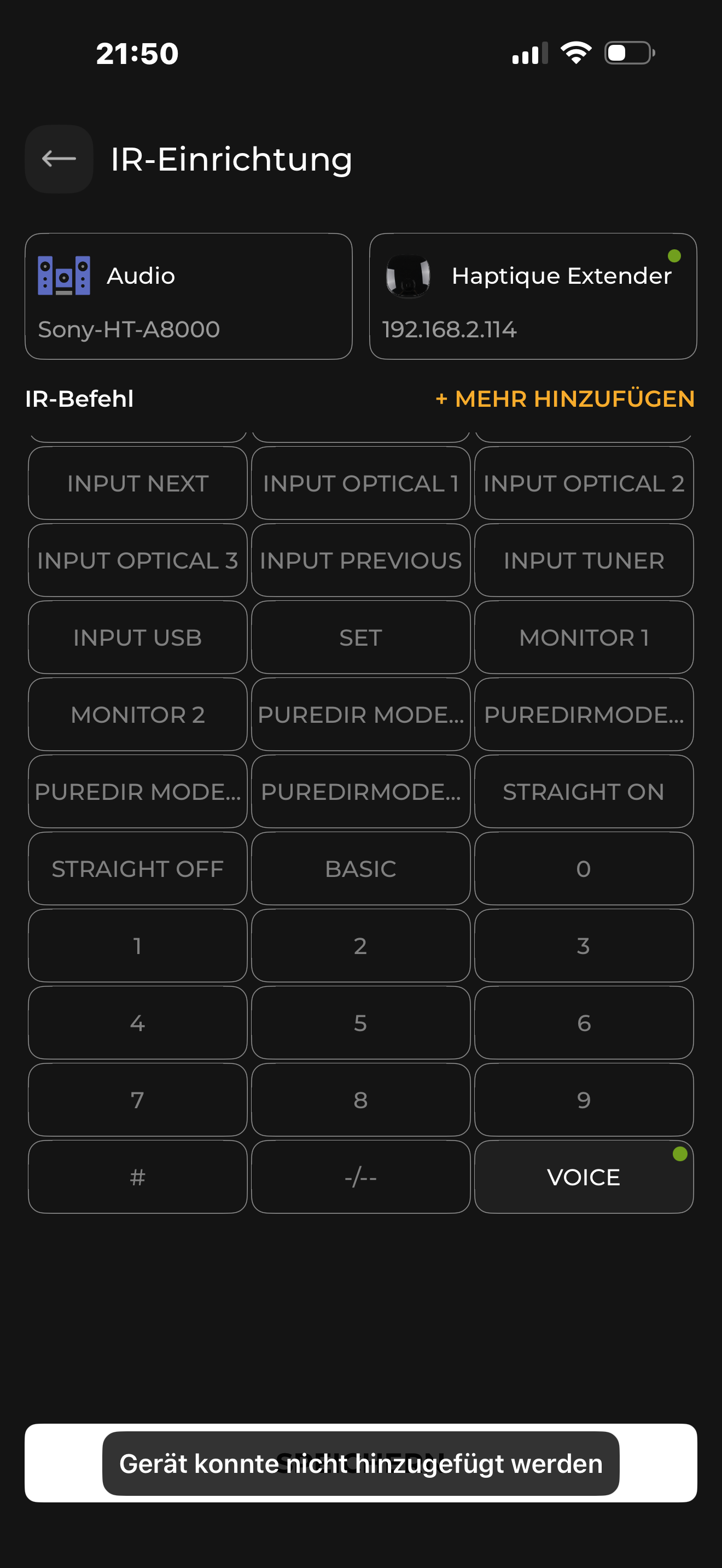
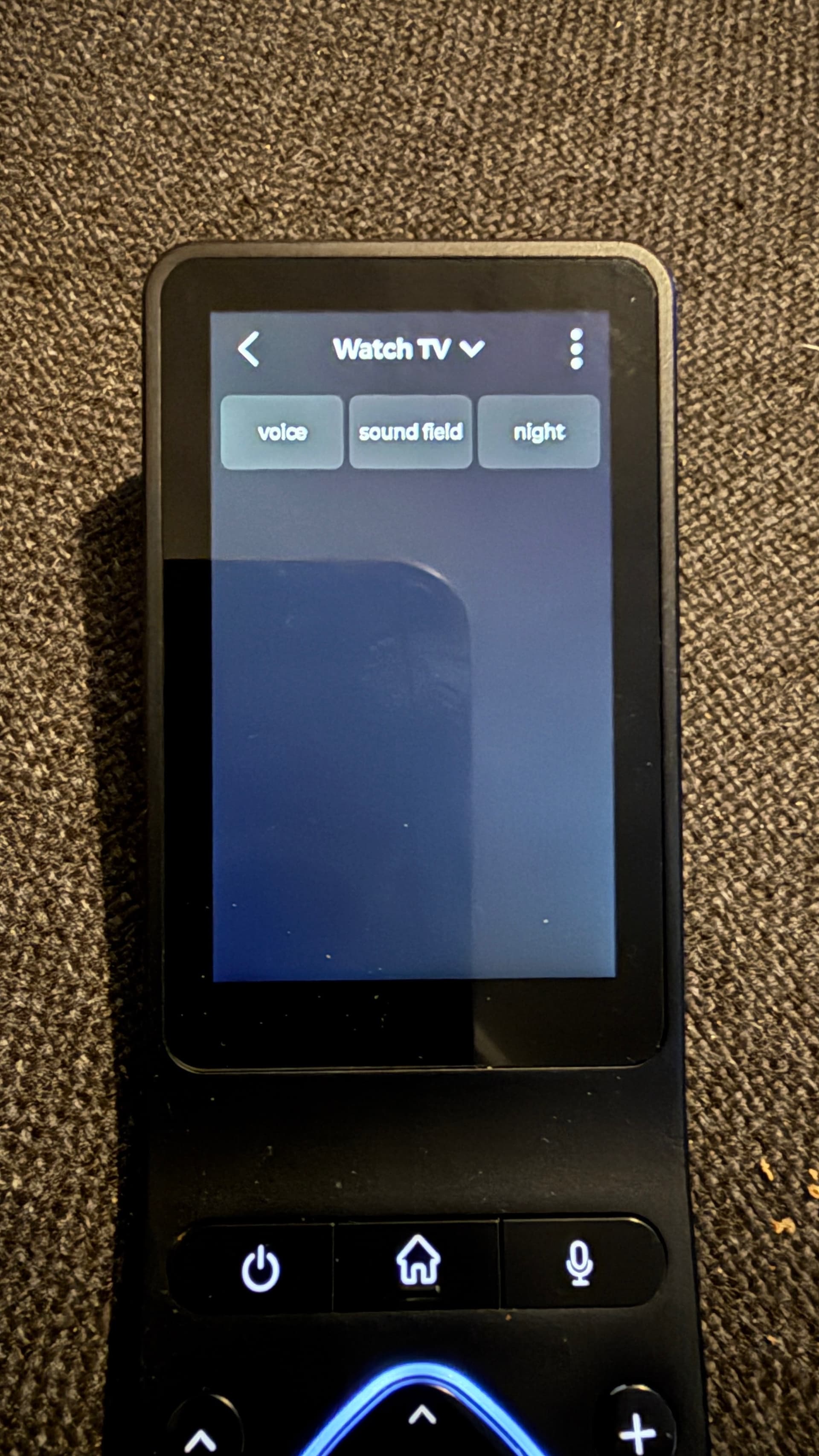
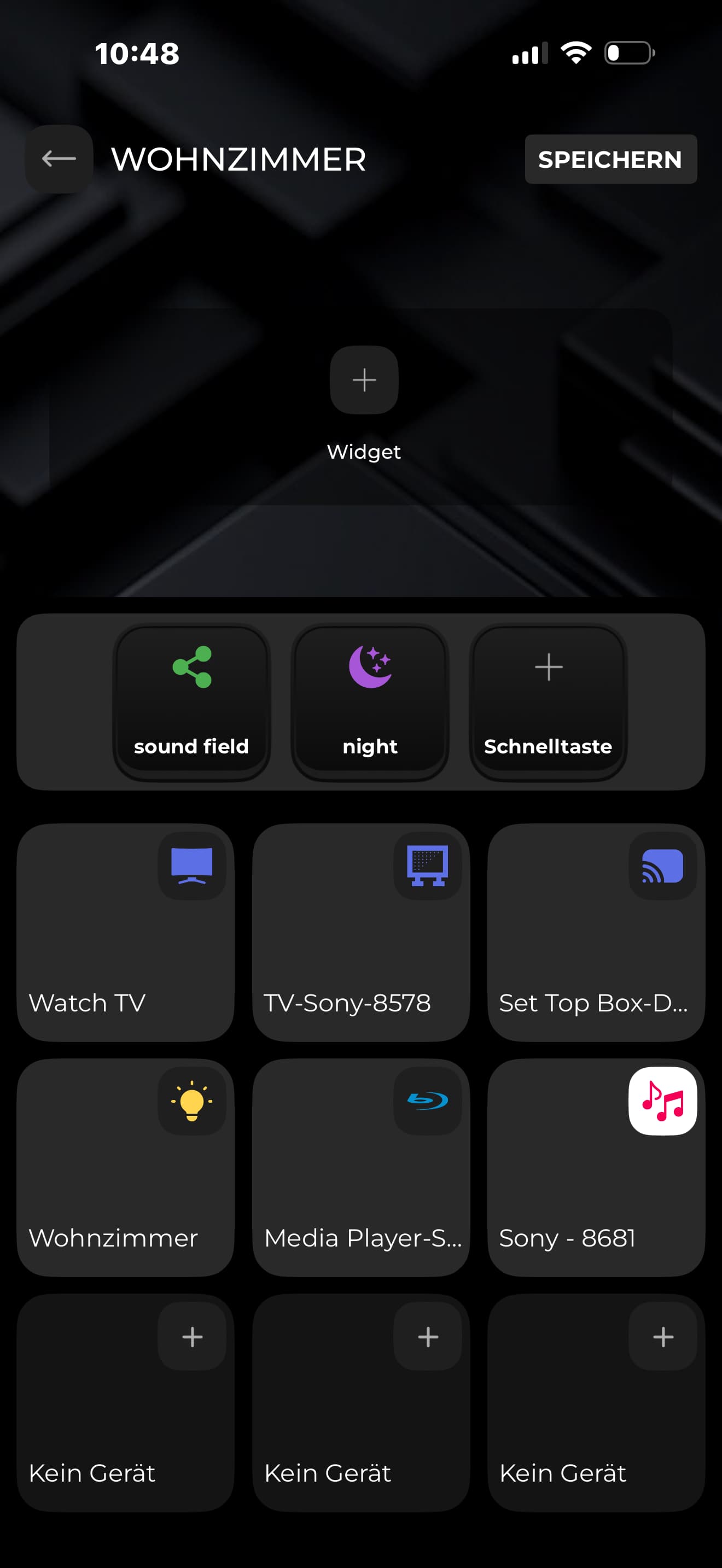
I can’t decide yet whether to use the old UI or the new one. The new UI seems to be much more intuitive than the old one. Like this. I have a new soundbar for my TV. The control with the RS 90 is actually okay. I only have a small problem there.
I need these three buttons that are displayed correctly in the new UI and also work great.


However, the voice button is missing from the old UI.

I also tried to learn this button again but that doesn’t work either

Can you take a look at it.

Are you saying the Voice is an IR command? and it works in the Opus 1?

When I learn it, it works, but unfortunately the button doesn’t appear anywhere. In Opus it works. Sound field and night work. In both UI. The voice button work’s only in Opus.

The limitation that the buttons on Opus 1 are only usable within macros and devices renders this approach worthless for simple use, in my opinion. At least the three special function keys (one to three dots) should be freely assignable at any time, for example, to allow users to quickly switch between individual apps. Basically, if the RS90 is to offer any added value, it should be possible to use the buttons even when another app is displayed in the foreground.

Otherwise, additional, cumbersome configuration, for example with Tasker, is necessary to achieve this range of functions. However, such functionality should be easily configurable directly on the remote itself, without additional tools, for an AV remote intended for the average user.

Furthermore, it should be possible to launch or bring to the foreground an app installed on the RS90 within a macro. Only then would a truly user-friendly application be possible, one that offers added value compared to a standard Android device without buttons. If, for example, a macro could open an app like Spotify while the Haptique app remains active in the background and processes keystrokes, it would then be possible to display the Spotify app on the screen while simultaneously using the keyboard for easy control of Spotify. The same would apply to other combinations of apps and the keyboard; for example, the Sonos app could be displayed on the screen, but the keyboard could still be used to control Sonos.

You mean you want to run Spotify app and still have the Keymapping active for Macro? I don’t think this is straightforward but we will try to make this possible. On Android you have Focus management.

We will work on this later but did you find the new OPUS 1 more easier? I hope it is not worthless.

Yes, I mean, it should be intuitive for a normal user to be able to launch an app and simultaneously assign functions to the RS90’s buttons. Only then does the RS90 offer added value compared to other devices without buttons that are already on the market.

This is already fundamentally possible without OPUS 1, for example, by sending button presses to an external system via Tasker, or by evaluating the button presses via MQTT, with the external system then triggering a corresponding action.

For example, the Spotify app is visible on my RS90, and Symcon evaluates the RS90’s button presses and then ensures that Spotify can be controlled via the RS90’s buttons.

However, the long-term goal should be to achieve this without an additional external system for devices that the RS90 can control directly anyway.

However you implement this in the future, currently the RS90’s key presses are transmitted via MQTT, even when another app has focus. So, it’s fundamentally possible, but currently only usable for users who have connected an external system via MQTT that then performs some action based on the key presses.

The goal of a user interface should be to make external systems optional, enabling functionality that the RS90 itself doesn’t offer.

From my personal perspective, it’s not worthless, but it’s only a very small first step towards a truly intuitive user interface that ultimately leverages the added value of a device like the RS90, which has both physical buttons and can display Android apps.

Direct access simplifies operation without the additional, mandatory room structure.

Compared to simply using a different launcher or other competitors on the market, OPUS 1 currently lacks the following customization options:

  • Customizing which apps are displayed in the interface, i.e., a favorites view that doesn’t necessarily show all apps installed on the RS90 in one view.

  • Easily launching apps from a macro without requiring the user to create an IP device with ADB.

  • Combining apps on the screen and assigning RS90 commands to buttons.

  • Easily switching between different views with a button press, e.g., using period keys to quickly switch focus between an app and the haptic interface.
I still need to twist my neck with the logic of this Remote.

My Setup is a LG Beamer, Google TV streamer and Onkyo AV Receiver. So TV for me is starting a Macro that does turn all the devices ON. So far so good.

BUT, why can I not just turn all the devices off just by clicking the On OFF Button? - why no I need to go on the touch screen to exit the Sequenz via the touch screen menue

If we do this by default, users may accidentally run the Power off sequence. It is the least important interactive button you may want to have on the layout so it is kept somewhere less accessible. But we also understand it kills the simplicity to turn off all.

In the next update you will be allowed to map any sequence you have created On or Off on the Physical buttons. We are experimenting few other choices as default power off UI button placement as well.

Last time I remember you were much vocal about APIs to control Haptique and especially the RGB ring control. Those are already delivered via MQTT. We would like you to use them building some Cool stuff on the IP-Symcon you admire.

Considering your new requirements, we will add them to our task list. Thanks for pushing us Mr @Fonzo.

If the active app is also transmitted via MQTT in future, I’d like to build something that, in addition to the active app, also evaluates and utilizes the RS90’s buttons via MQTT. Creating numerous individual custom IP devices to transmit the app with focus, or integrating this as a command into a macro, is currently too cumbersome and time-consuming for testing purposes.

In the long term, however, the RS90 can be used effectively in combination with an external system with a few additions to the MQTT topics.

At least in the long run, I’ll configure it personally so that:

  • I evaluate the app with focus and assign the button functions accordingly
  • I adapt the color of the RGB ring to the activated app
  • I use the RGB ring to display notifications, e.g., when the doorbell rings
  • I automatically switch the app from the external system upon an event, e.g., the doorbell rings and the app for answering the call is activated.