Someone has the same problems ?
So the battery life is not very good so with normal use it lasts at most one day.
I hope this can be fixed by a software update.
Here is a summary of what I have found out: With usb cable 100% charged (not with the charging station). When moving the remote control, the display does not turn on automatically. The display turns on after touching or by pressing the button. I think that’s a bug. Without automatic start of the display, the battery seems to last significantly longer.
Good to know this. We can add a control of auto display in the settings.
1 Like
That’s a very good idea. I charged it 100% on Monday and had 50% battery yesterday.
1 Like
For your information:
After update 2.2 the bug has disappeared. But now the screen turns on by itself every few minutes. The battery now only lasts a maximum of one day.
the screen turns on by itself every few minutes , Fixed after a restart
The automatic start of the screen has this bug again. Last night at 18:00 100% charged. After 12 hours only 9% battery power was lost. Please don’t forget add a control of auto display in the settings.
1 Like
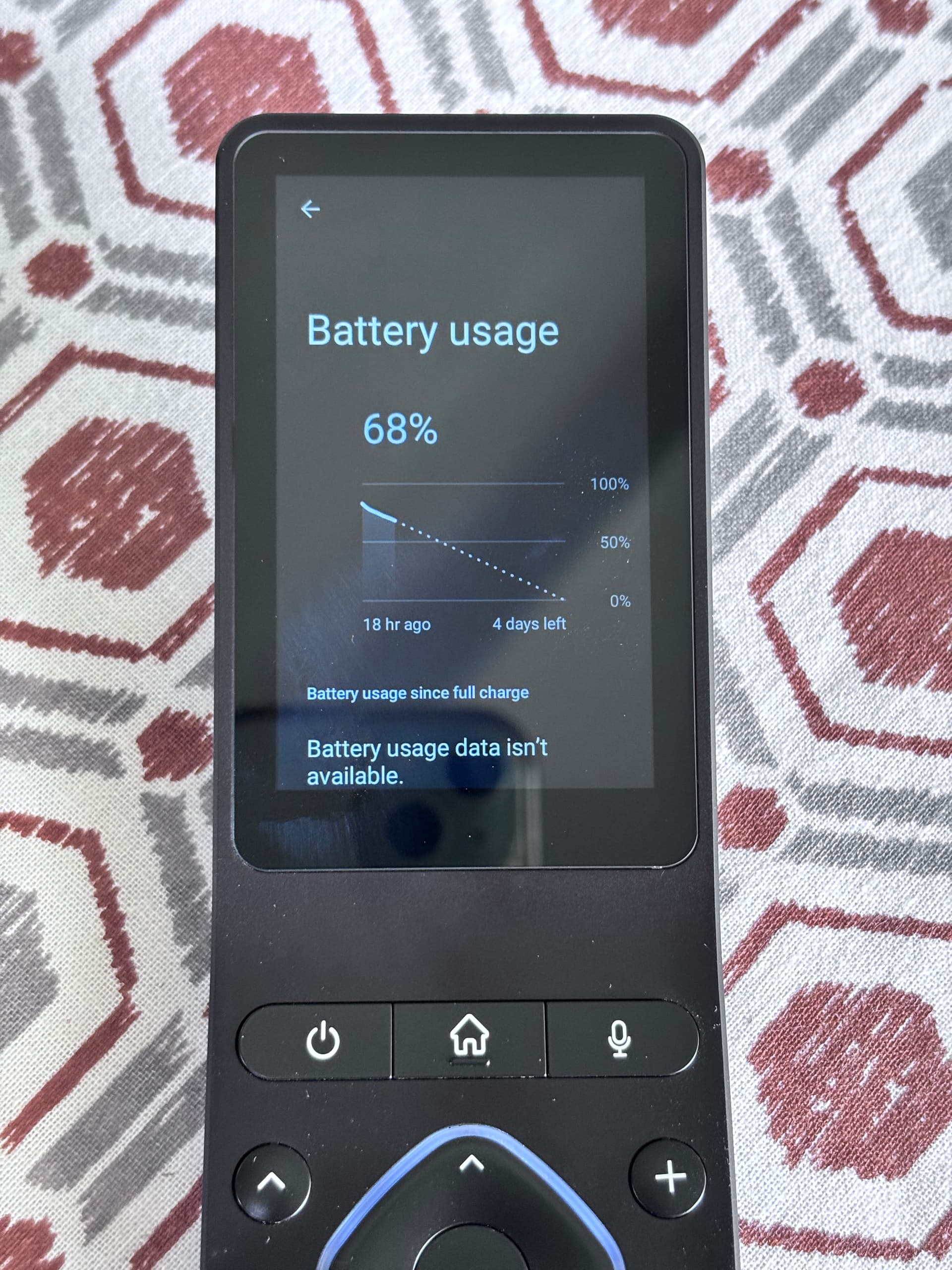
With Nova launcher set as default launcher. Battery performance has been drastically improved.
I haven’t charged the unit now for more than 48 hours and still going strong. I am not using it much but testing how long it will last.
Screen shows 18 hours from charge but I never took it out of office bag to charge for two days now.
I will post further monitoring how long it will last.
With me ‘with daily use’ about four and a half days but only if the ‘automatic display’ is off. If it’s on only one day. It would be nice if you could turn off the keyboard lighting. This could certainly save even more battery. Before the last update there was this function although it did not work. I would like to have this opportunity.
1 Like