If you have the plug mapped to a room, select and use power button to toggle.
Thanks for your reply. Thats what I tried. i also reset the RS90, but it did not change anything. If I can see and add the HA entities I guess the connection to HA is setup correctly. I’m close to the WIFI accesspoint, so connection is good.
If I setup a sensor on the remote it also shows no data in the display if I select it. I think it shoud show a value there, right?
I can see in the HA integration that the HA automations are available - will you also be making the HA scripts accessible so I can run then from the remote? This would be very useful for my setup.
1 Like
Same here.
on/off quickbuttons for homeassistant entities not working.
and Sensor entities show no data. Also I don’t see anything to setup quickbuttons.
Can you provide us the use case for better understanding?
I want to press a button on the remote to switch something on/off in home assitant.
Only supported sensors at the moment are Temperature, Humidity & Battery levels. If you are adding anything else it will not be able to display.
I currently use HA on iPads around the house for home control, including remote control purposes. As part of this use I have scripts which change the dashboards to show what I want to control - for example, I press a button to run a ‘Watch Apple TV’ script which will show the Apple TV (universal remote card and/or maxi media player card) remote and hide the unused remotes.
I would love to use the Haptique as a portable unit to move around the house and when I click on a macro to ‘Watch Apple TV’ it also runs the HA script to configure the HA dashboard.
Hope that makes sense.
If this is not possible then I would want to use the Haptique to set the value of a HA variable which facilitates this HA configuration.
Can you share the API to call the scripts? We can add them if they are straightforward.
Battery Level does not work here.
@sjhanson
since this is more like a feature request would you mind opening a separte thread for this?
Apologies, didn’t mean to hijack the thread…
PS - By the way, I have solved it by changing the script into an automation as these are already included within the HA integration.
2 Likes
Need more time to verify. Currently, I am using phone battery levels on my Haptique via HA.
Homeassitant Integration is not working here.
I did a factory reset of the remote and the app twice. Connected to another HA instance in another WIFI Network.
I can connect to HA with the token and I see al my entities and can select them. From there nothing works as expected. I can assign the entities to a room, but can’t oprate them or see values for temperature sensors etc.
Am I missing something here or is this just not working right now? Can anyone confirm, that it is working with HA right now?
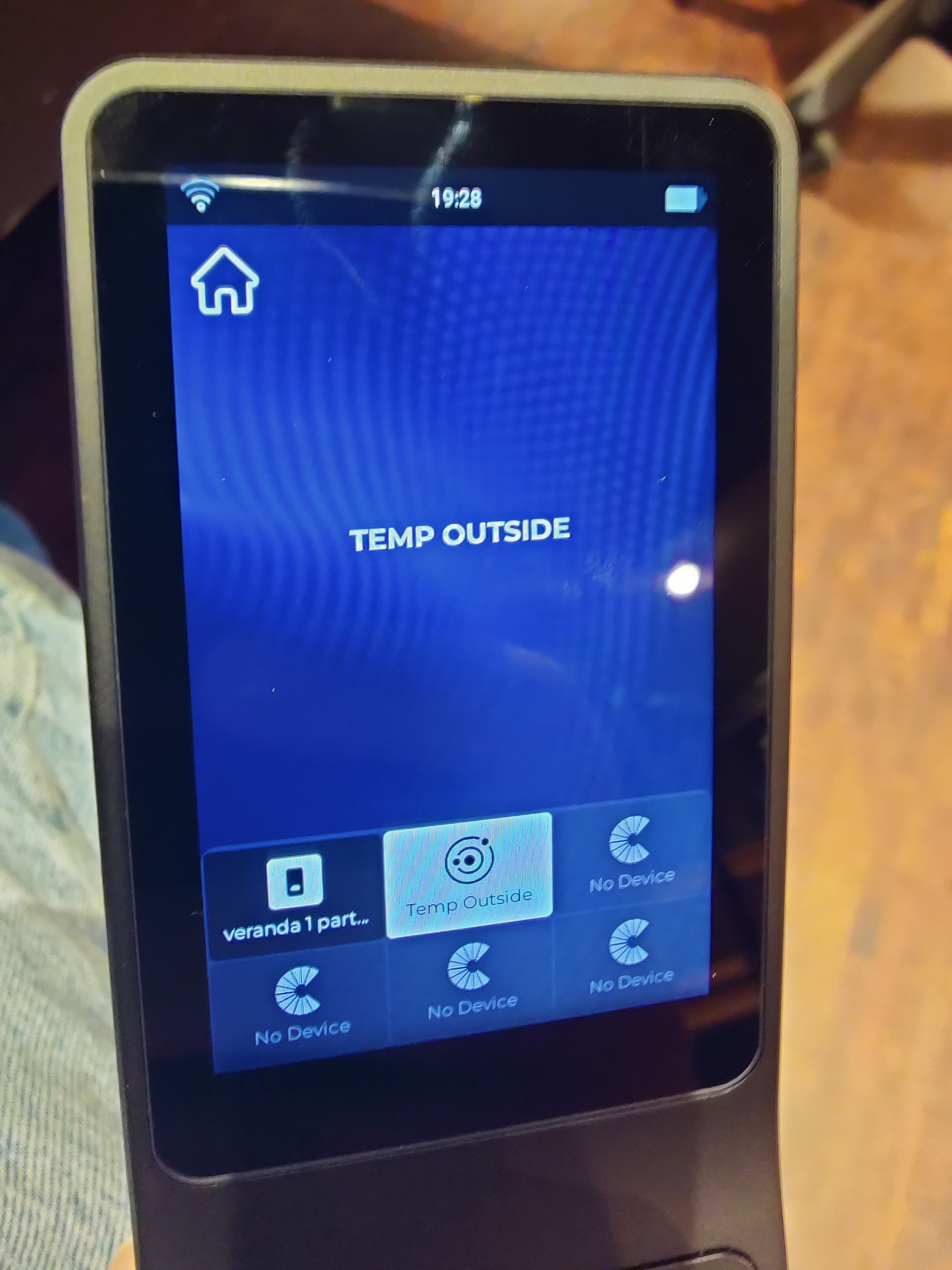
You are mapping it on the button. It is not to be placed there.
Instead on the config app use the widgets to map sensors.
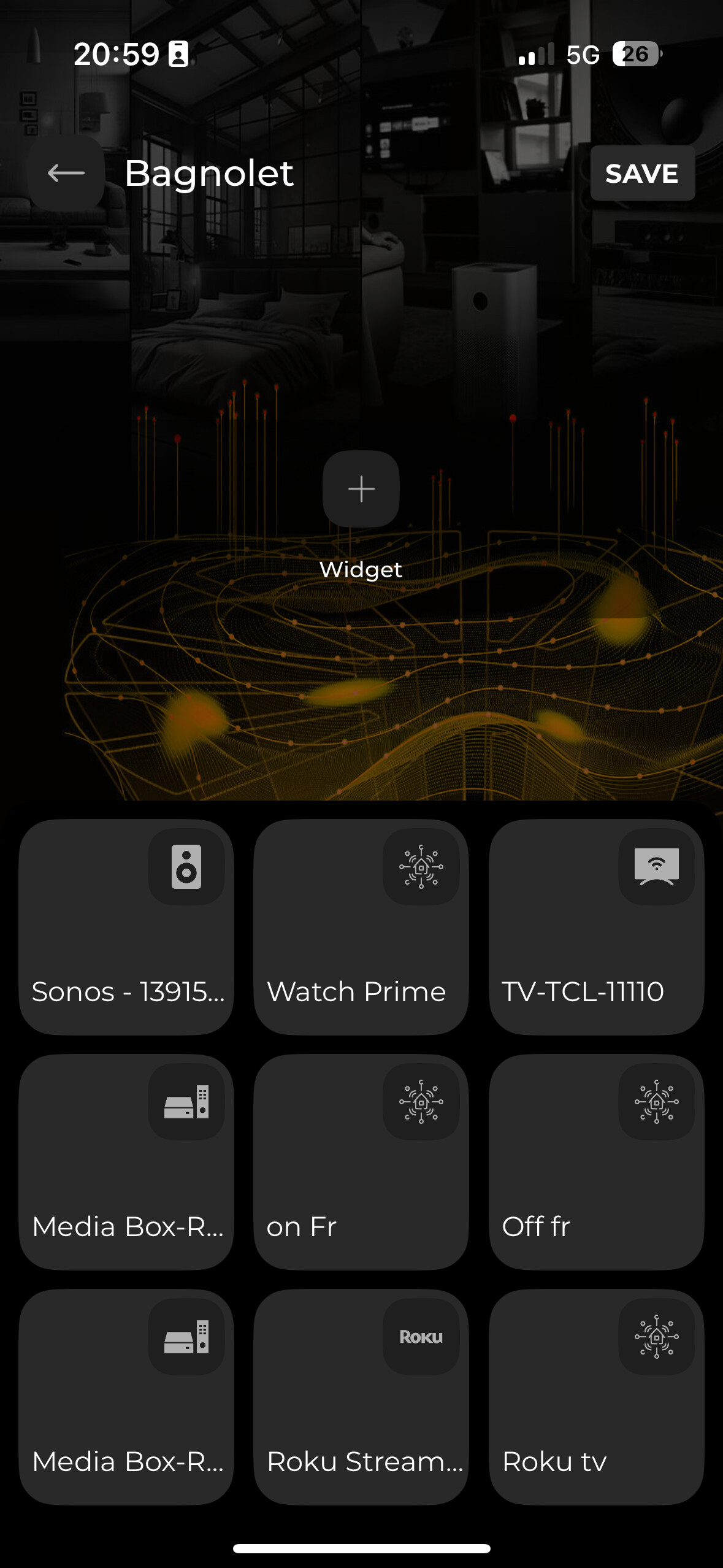
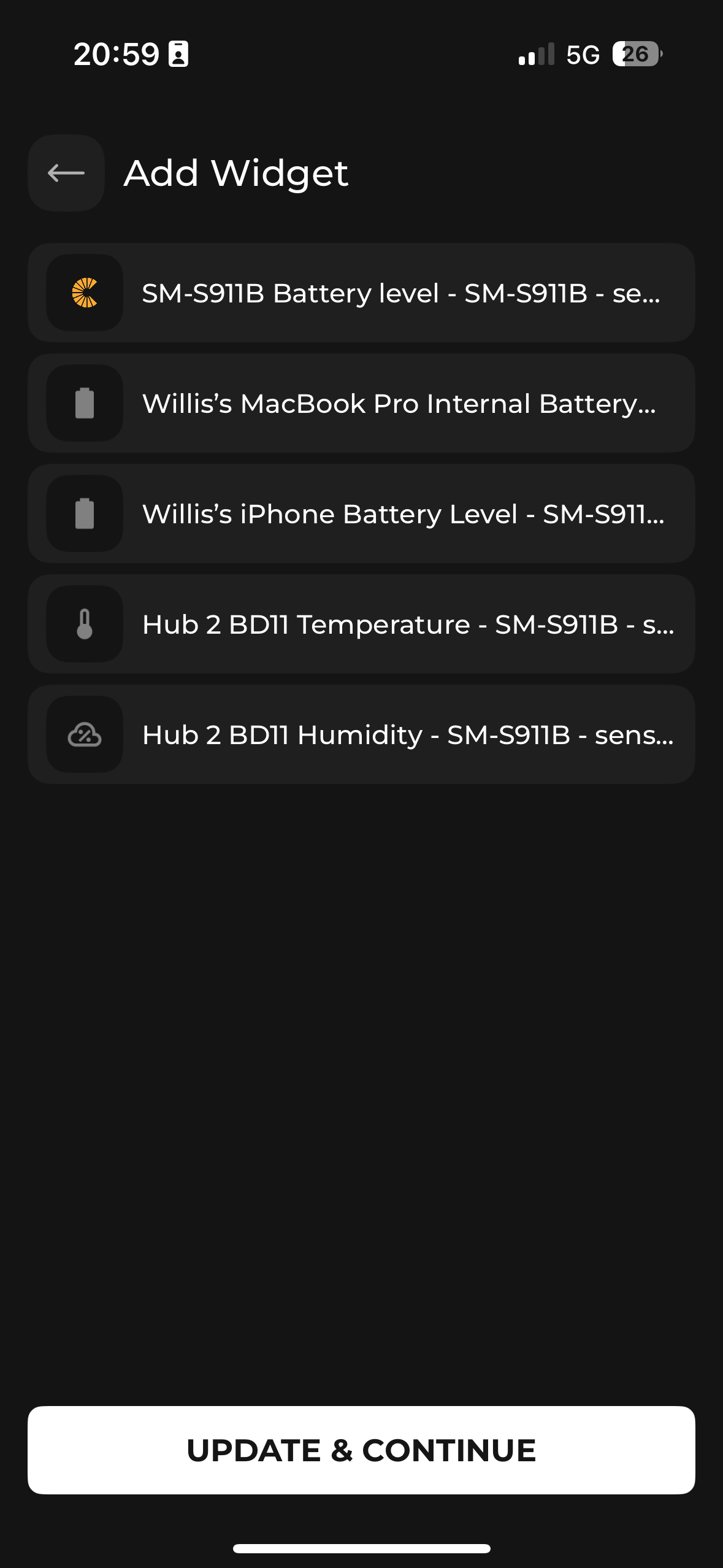
Setting up the temp sensor as Widget worked. Thanks for that.
I still can’t control any switch with the RS90. I managed to setup two quick buttons, one for on and one for off, but they don’t switch anything in HA. Setting up the quick buttons is also very buggy. It only works one time after closing the app and restarting it.
Update: Just figured out that a long press on the touchscreen enters the device and than the power button switches the entity. Very non intuitive and nowhere mentioned in the user guide.
So now I have to figure out the whole sequence logic. As far as I understood only devices that are part of a sequence can be controlled by the physical buttons, is that correct?
Let us test Quick buttons with HA tomorrow and reply.